The product tour
From a first visit to finding a group.
Follow one example journey through Church Flow: a Sunday welcome, a personal follow-up and an invitation to connect. Real product screens, with demo data.
This is a workflow your church can configure. Your team chooses the triggers, care steps and group invitations.
01 · Welcome
Record the visit. Keep the person in view.
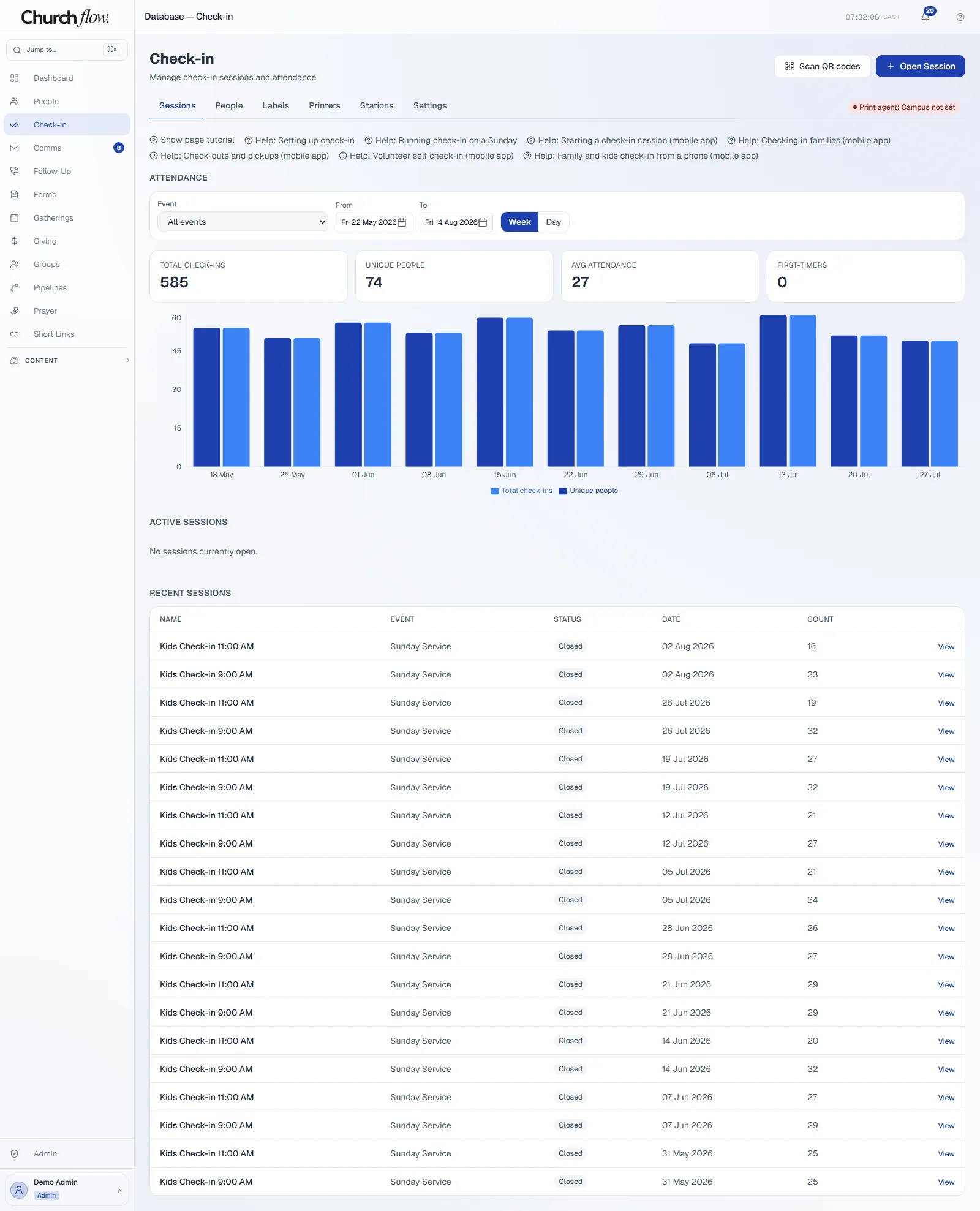
A visitor arrives on Sunday. Your welcome team finds or creates their person record and records attendance, so the next team has a starting point.
Check-in and attendance stay connected to the person. The screen below is the staff attendance overview.
02 · Next step
Give the visit somewhere to go.
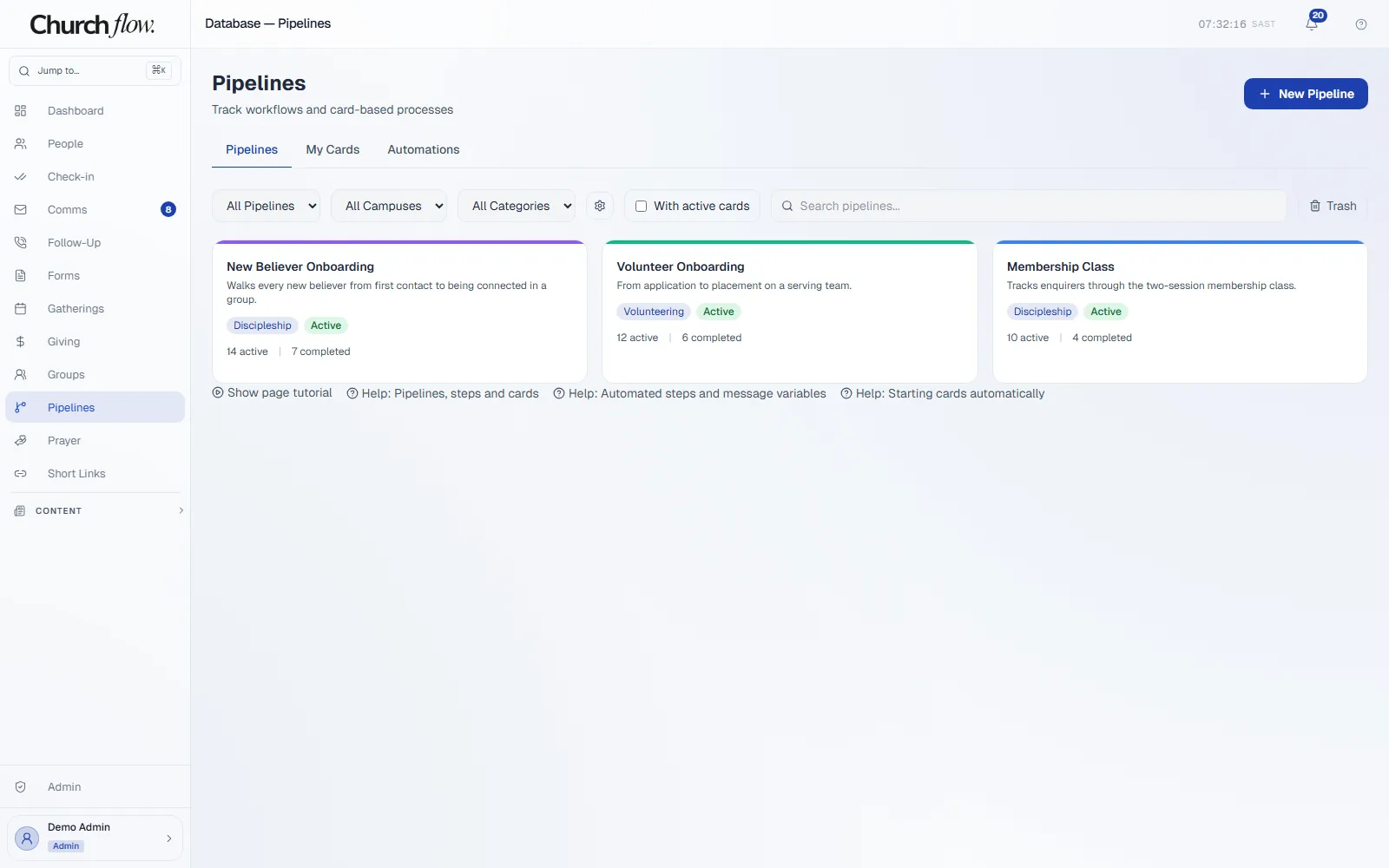
Set up a visitor pipeline with the steps your church actually follows: a welcome, a conversation and an invitation to connect.
A connect-card form or a configured check-in trigger can start a card. Your team chooses the trigger and actions; the workflow follows your setup.
03 · Follow-up
Make the next conversation somebody’s responsibility.
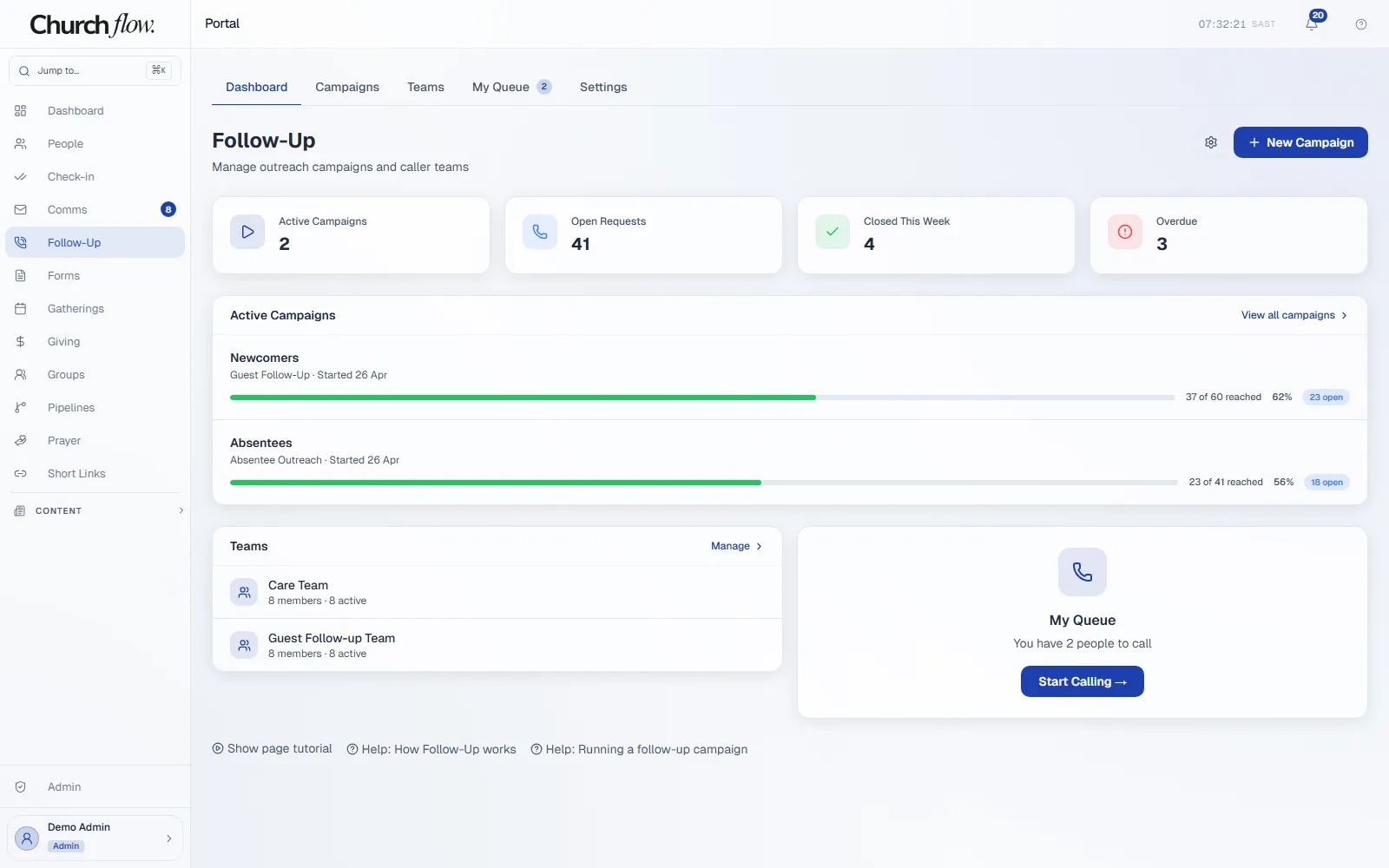
Add a follow-up step to the pipeline and connect it to a running care campaign. Available callers receive assigned requests in their queue.
The caller can see who needs attention, record a call and choose an outcome. Contact opt-outs are respected.
04 · Conversation
Keep the context when another person steps in.
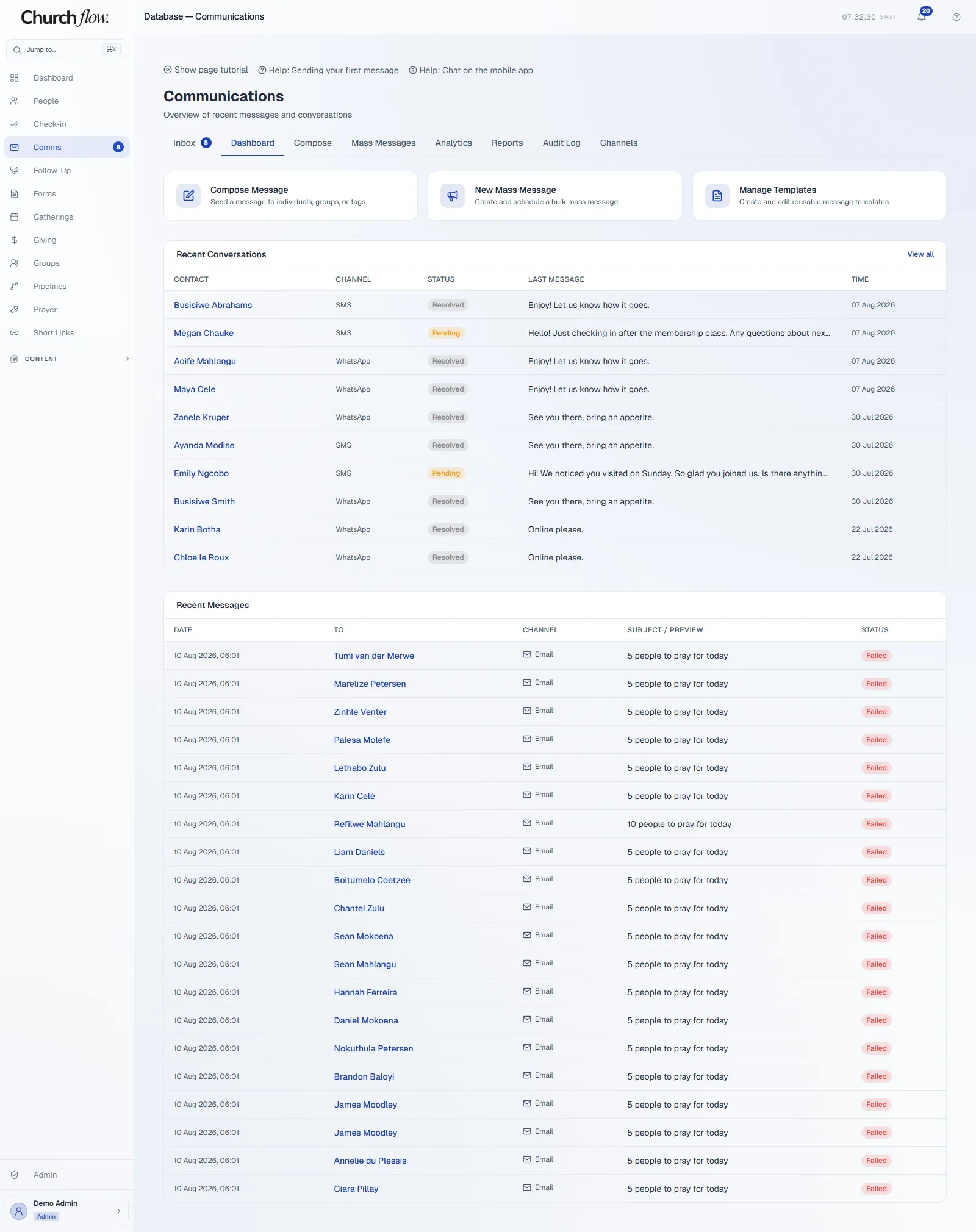
Record what happened in the call and what should happen next. When the conversation continues by message, your team can reply from the shared inbox.
WhatsApp, SMS and email conversations are available to authorised team members. Your church connects its own provider accounts; provider charges apply.
05 · Connection
An invitation becomes a place on the roster.
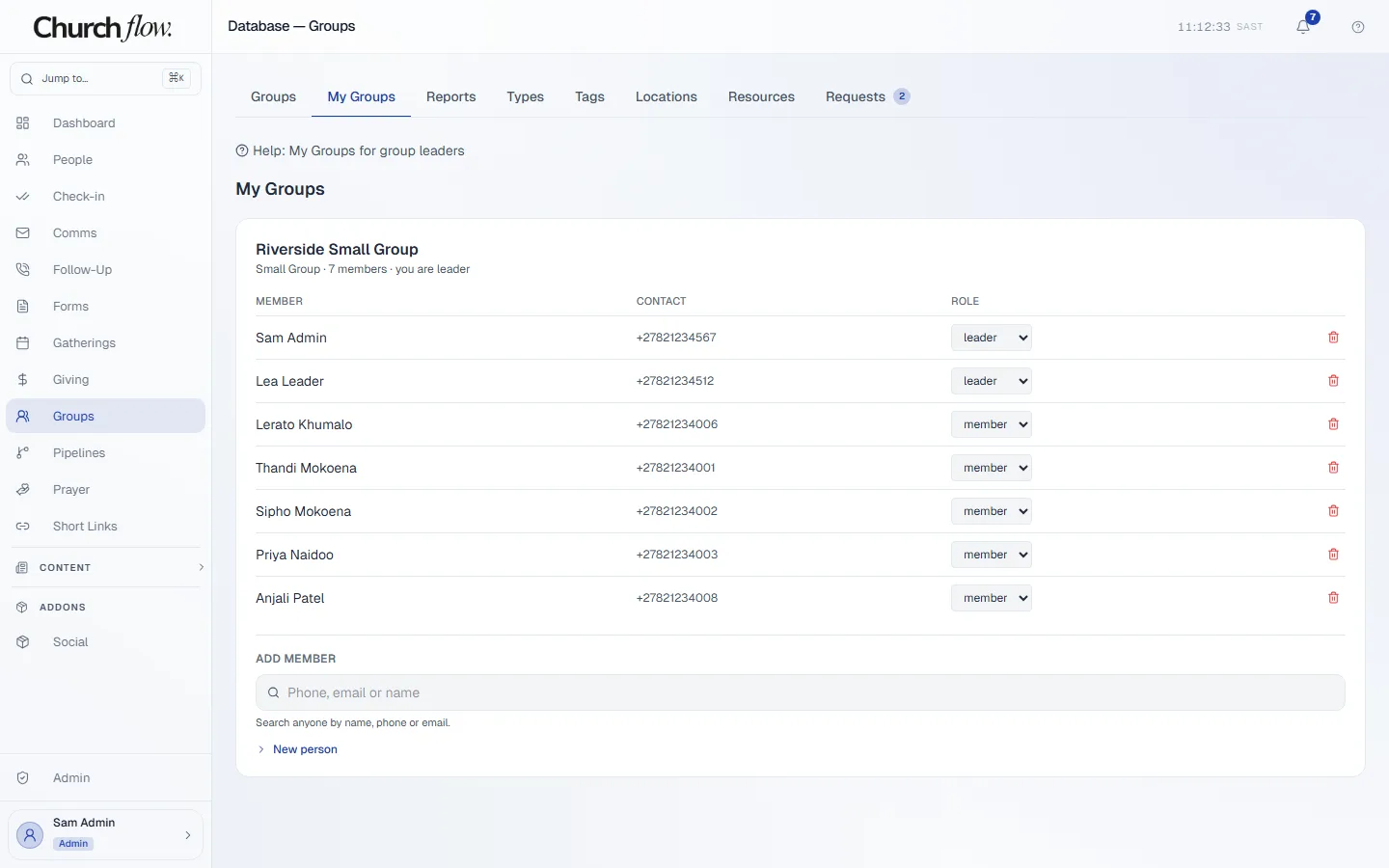
When the visitor is ready, add them to a group or approve their request to join. The group leader can see them on the roster and manage the group’s meetings and attendance.
A team member can make the addition, or you can configure a follow-up outcome to do it. The invitation and the relationship remain personal.
The rest of the week
The same platform supports the work around that journey.
Open a screen to explore another part of church life.
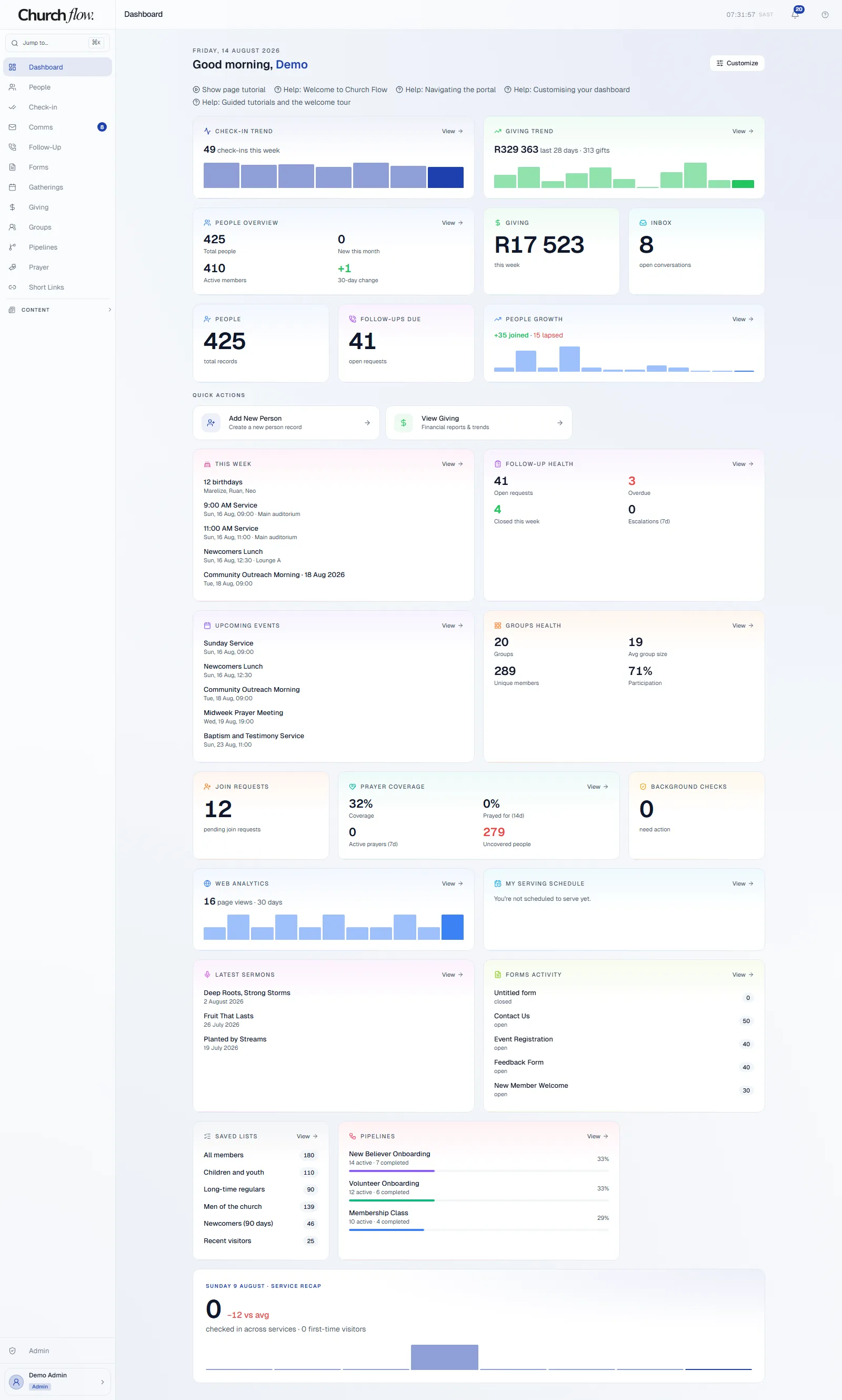
Dashboard See the week across your teams.
Check-in, giving, people, inbox and follow-up summaries share a customisable dashboard.
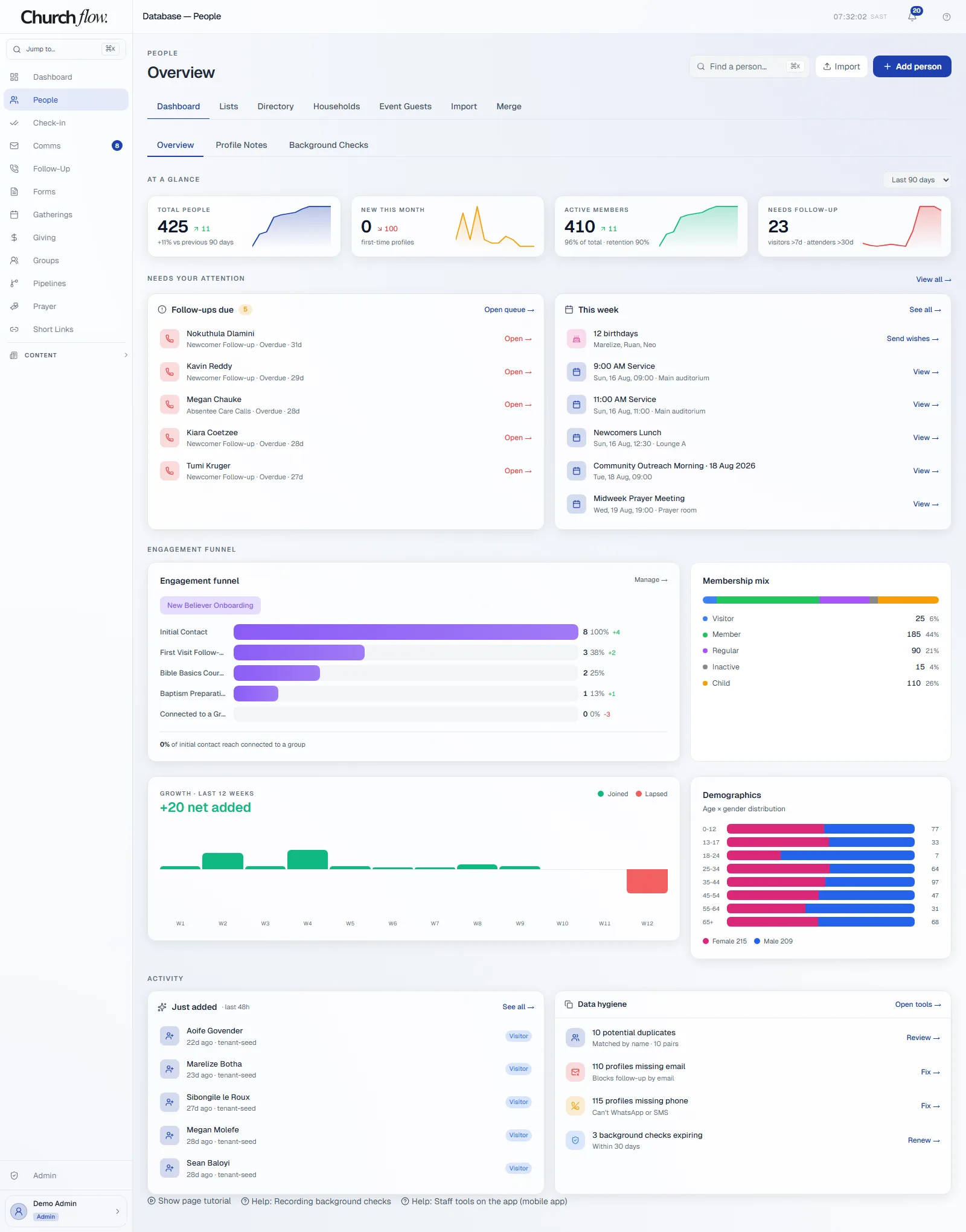
People Keep the rest of their story together.
Person records bring family, group membership and ministry activity together, with access controlled by permissions.
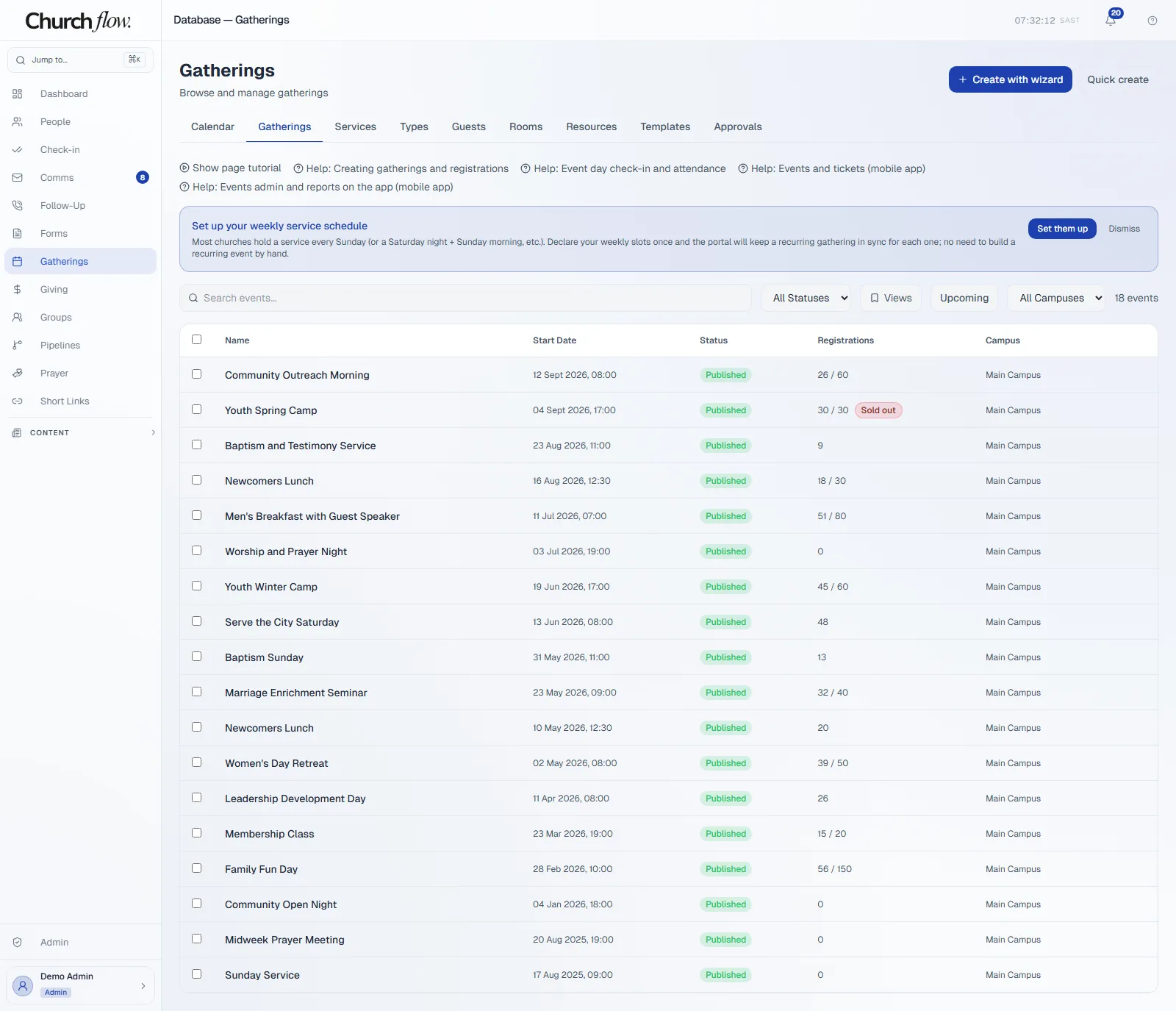
Events Make the next invitation practical.
Manage published events, registration counts and capacities in the same platform as your people.
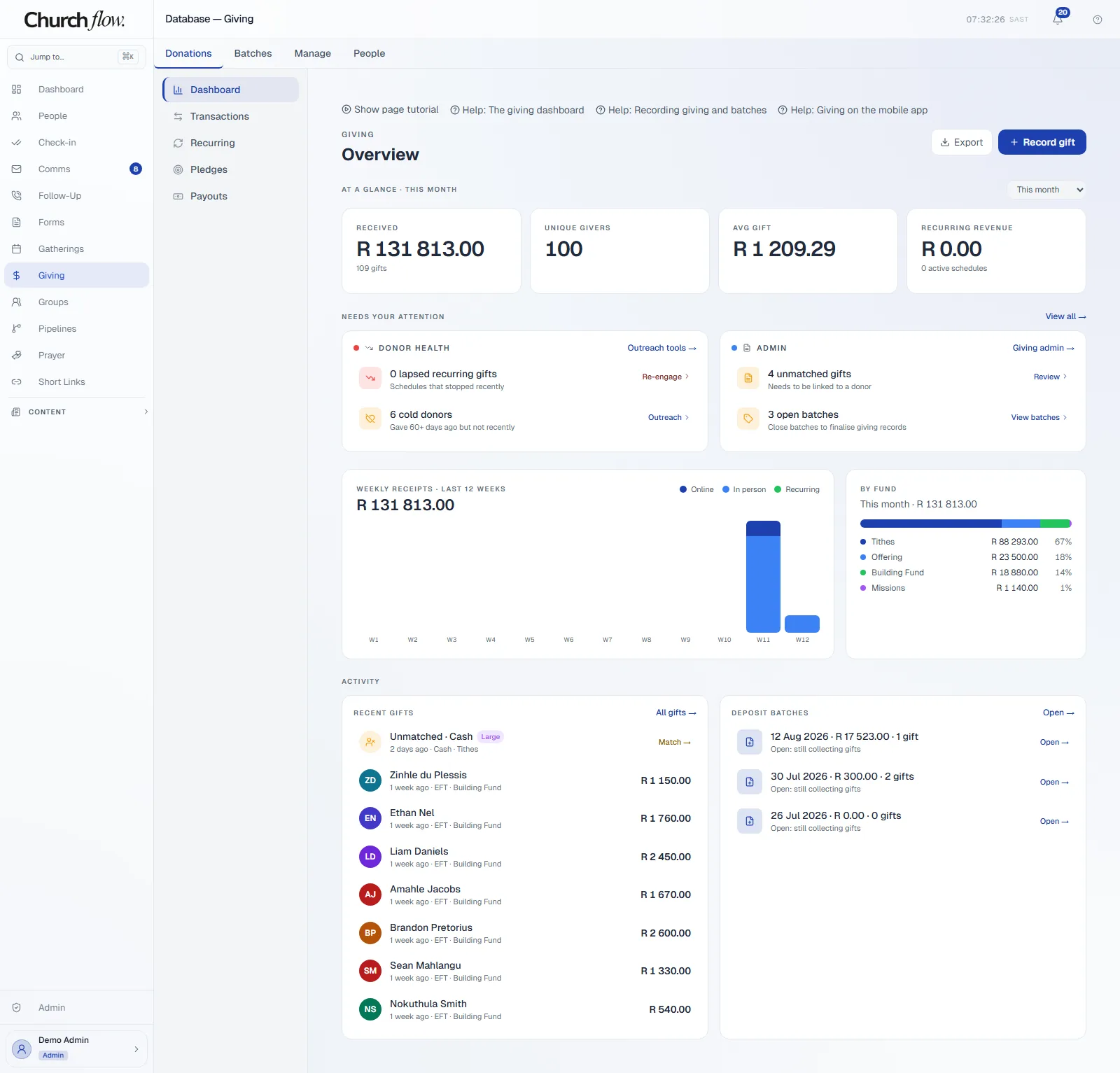
Giving Keep giving administration connected.
View receipts, fund splits and batches. Donations use your church’s payment provider account and settle directly to your church.
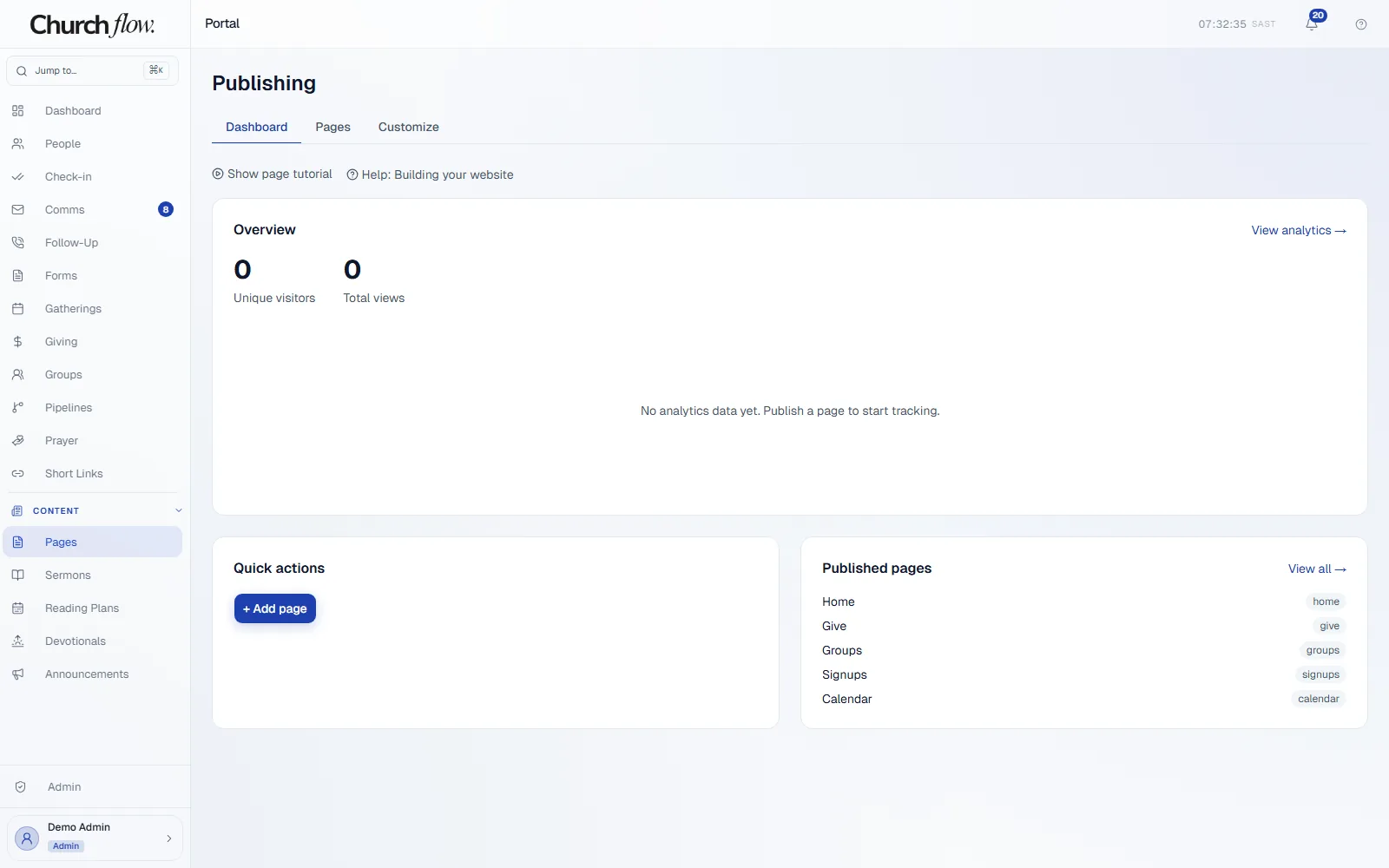
Website Keep public information close to the work.
Manage the church website’s pages alongside the people, events and giving they describe.
Try your church’s next step.
Start a workspace and explore the workflow with your team. Your 30-day trial needs no card.
Start your 30-day free trial →